
The Brutal Truth About Your First Line of Code
Most people think the hardest part of coding is memorizing a bunch of weird symbols or understanding why a semicolon is suddenly causing a total system collapse. But here is the secret: the syntax is actually the easy part. You can look up a command on Google or ask an AI to fix a typo in seconds. The real struggle-the part that makes seasoned developers sweat and beginners quit-is learning to program your brain to think in a way that a machine understands.
Computers are incredibly fast, but they are also incredibly stupid. They do exactly what you tell them to do, not what you want them to do. That gap between your intention and the actual instruction is where the real pain lives. If you feel like you are hitting a wall, you aren't failing at coding; you are experiencing the natural friction of shifting your mental model from human language to logic gates.
Quick Reality Check
- Syntax is a hurdle, but logic is the mountain.
- The hardest skill isn't writing code, it's breaking big problems into tiny pieces.
- Frustration is a feature of the learning process, not a sign of inability.
- Reading other people's code is often harder than writing your own.
The Mental Shift: Computational Thinking
When you describe how to make a peanut butter sandwich to a human, you say "put the peanut butter on the bread." A human understands the implied steps: open the jar, get a knife, spread it evenly. If you tell a computer that, it will simply stare at you because it doesn't know what "put" means in a physical sense.
Computational Thinking is the mental process of formulating a problem and its solution in a way that a computer can execute. It requires a level of precision that feels unnatural at first. You have to define every single state and every single edge case. What happens if the peanut butter jar is empty? What if there is no bread? In coding, these aren't just "what ifs"; they are the bugs that will crash your app at 3 AM.
This shift is why many people struggle in early Coding Classes . They try to memorize the language instead of practicing the logic. It's like trying to learn a new language by memorizing the dictionary without ever learning how to build a sentence.
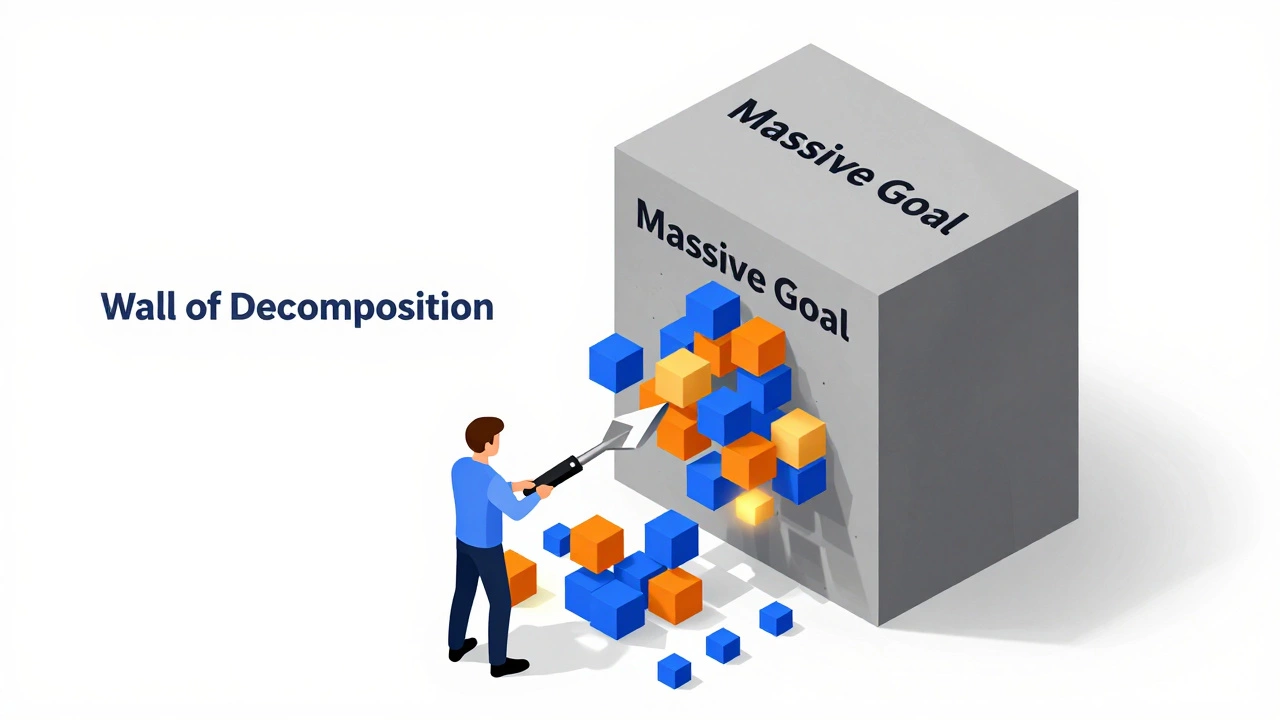
The Wall of Decomposition
The most daunting task for any developer is facing a blank screen with a massive goal, like "Build an e-commerce store." The instinct is to try and figure out the whole thing at once, which leads to immediate burnout.
The real skill is decomposition-breaking a giant, scary problem into a series of boring, manageable tasks. If you can't solve a problem, it's usually because the piece you're trying to solve is still too big. Instead of "Build a checkout system," you break it down into: "Create a button," then "Make the button trigger a function," then "Connect that function to a database."
This is where Algorithm Design is critical. An algorithm isn't just a complex mathematical formula; it's simply a step-by-step recipe for solving a problem. The struggle is that humans are great at intuitive leaps, while computers require an explicit map. Learning to draw that map is the hardest part of the journey.
| Stage | What feels hard | What is actually happening | The Breakthrough |
|---|---|---|---|
| Beginner | Syntax and Errors | Fighting the tools | Realizing errors are just hints |
| Intermediate | Structuring Logic | Managing complexity | Learning Design Patterns |
| Advanced | System Architecture | Balancing trade-offs | Accepting there is no "perfect" solution |
The Psychological Battle with the "Imposter"
Coding is one of the few professions where you are reminded that you are "wrong" every single minute. Every time you run your code and see a red error message, it's a direct critique of your logic. For many, this triggers a massive case of Imposter Syndrome.
You'll find yourself looking at a GitHub repository for an open-source project and thinking, "I'll never be able to write code like this." The trick is realizing that the polished code you see is the result of a thousand failed attempts. The professional developers you admire aren't people who don't make mistakes; they are people who have become incredibly efficient at fixing them.
The hardest thing here isn't the technical challenge, but the emotional regulation. Learning to love the "debugging" phase-the process of hunting down a bug in your Source Code -is what separates those who stick with it from those who give up. When you stop seeing an error as a failure and start seeing it as a puzzle, the game changes.
The Burden of Eternal Learning
In many jobs, once you learn the core skills, you're set for a decade. In software development, the ground shifts under your feet every few years. A framework that was the industry standard in 2023 might be considered legacy by 2027.
Keeping up with Version Control systems, new libraries, and evolving paradigms like AI-assisted coding (with tools like GitHub Copilot ) creates a permanent state of feeling like a beginner. This "learning treadmill" can be exhausting. The hardest part isn't learning one language, but learning how to learn any language quickly.
If you focus too much on a specific tool-say, just learning React.js -you're building your house on sand. If you focus on the underlying concepts of state management and component architecture, you can switch to any other framework in a weekend.

Navigating the Documentation Maze
There is a common misconception that great coders have everything memorized. In reality, the best coders are just the best at reading documentation. The hardest part of the mid-game is knowing how to find the answer in a 500-page technical manual or a chaotic thread on Stack Overflow .
Reading technical documentation is a skill in itself. It requires filtering out the noise and finding the exact method or property you need. Many beginners struggle because they expect the documentation to be a tutorial. It's not. Documentation is a reference map. Learning to navigate that map without getting lost is a huge part of the professional struggle.
Is coding hard because of the math?
For most web and app development, you only need basic algebra. Unless you are diving into game engines, 3D graphics, or heavy Data Science, high-level math isn't the hard part. The difficulty lies in the logic and the ability to break problems down, not in calculating derivatives.
How long does it take to get past the "hard part"?
The "click" moment-where logic starts to feel intuitive-usually happens after 3 to 6 months of consistent, daily practice. It doesn't happen by watching videos; it happens by struggling through bugs and writing code from scratch.
Do I need a Computer Science degree to handle these challenges?
No, but a degree provides a structured way to learn the fundamentals of Data Structures and Algorithms. You can achieve the same results through high-quality coding classes or self-study, provided you don't skip the "boring" theoretical parts.
Why do I feel like I'm not making progress even when I'm coding?
This is usually because you're in the "Tutorial Hell" phase. You're following instructions, but not solving problems. Progress happens when you put the tutorial away and try to build something-even a tiny, broken app-on your own.
Which language is the easiest to start with to avoid the hard parts?
Python is widely recommended because its syntax is close to English, which lets you focus on learning logic rather than fighting with brackets and semicolons. However, the "hard part" (the logic) remains the same regardless of the language.
Next Steps for Overcoming the Struggle
If you're currently feeling overwhelmed, stop trying to learn more "features" and start practicing "problems." Try these three steps:
- Solve Pseudo-code First: Write your logic in plain English on paper before you touch the keyboard. If you can't explain the steps in English, you can't code them in Python or JavaScript.
- Build Something Tiny: Instead of a full app, build a calculator. Then a weather widget. The win of seeing something work is the only cure for imposter syndrome.
- Read Code Out Loud: Find a small project on GitHub and try to explain to yourself what each line is doing. This bridges the gap between writing and understanding.